 Waddiel
How it works
From install to your first alert.
Five minutes is enough. Here is exactly what you’ll see in Waddiel, screen by screen.
Connect your database
Waddiel installs like any Mac app, then plugs into your database with a single paste.
Install Waddiel
Download the .dmg, drag Waddiel into Applications and open it. No account to create, no credit card.
- macOS 14 or later
- Apple Silicon and Intel
- 7 days free, then a small yearly subscription

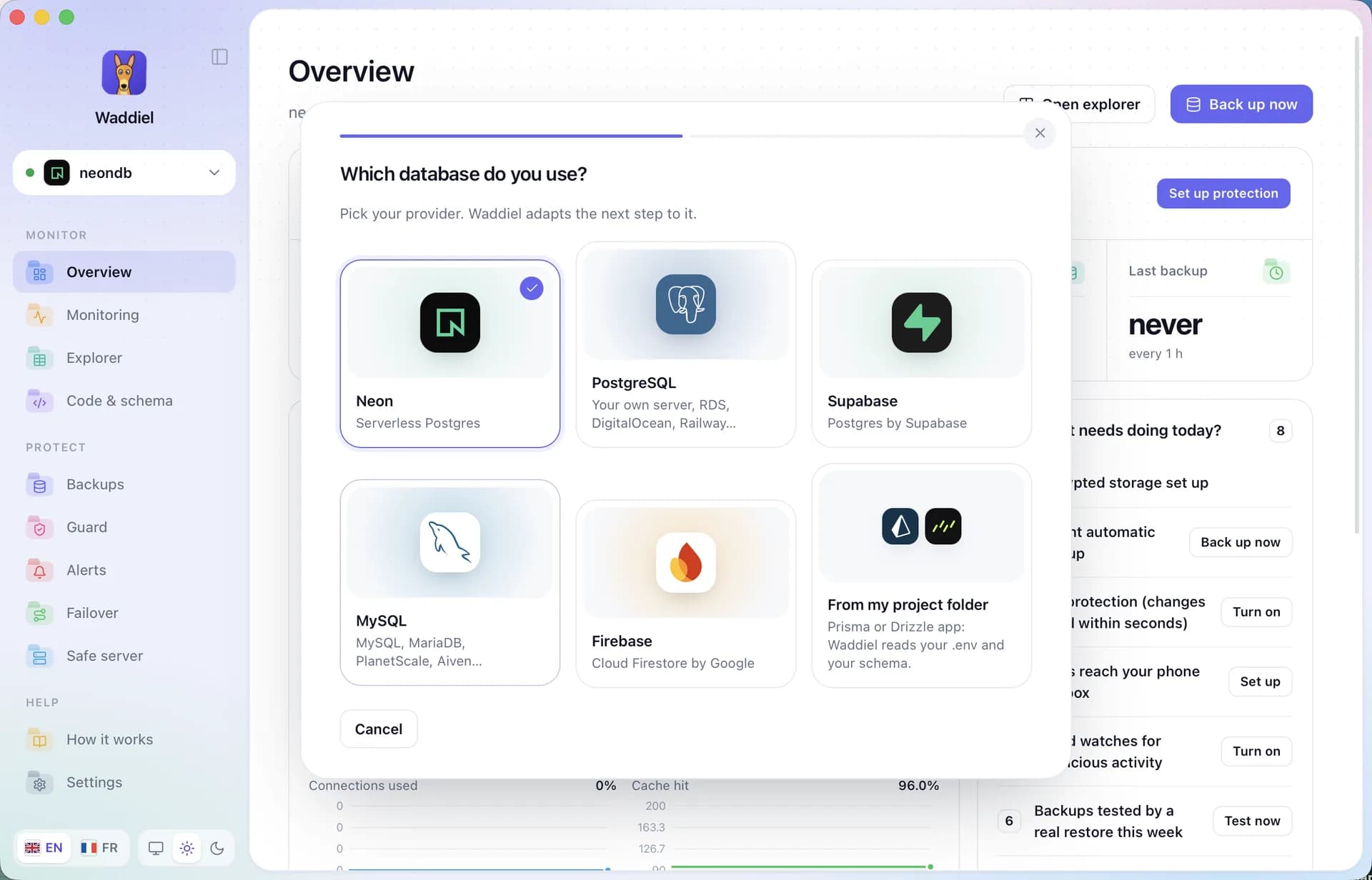
Pick your provider
Neon, Supabase, PostgreSQL, MySQL, Firebase or straight from your Prisma or Drizzle folder. Waddiel adapts the next step.
- Six ways in
- Prisma and Drizzle projects read from .env
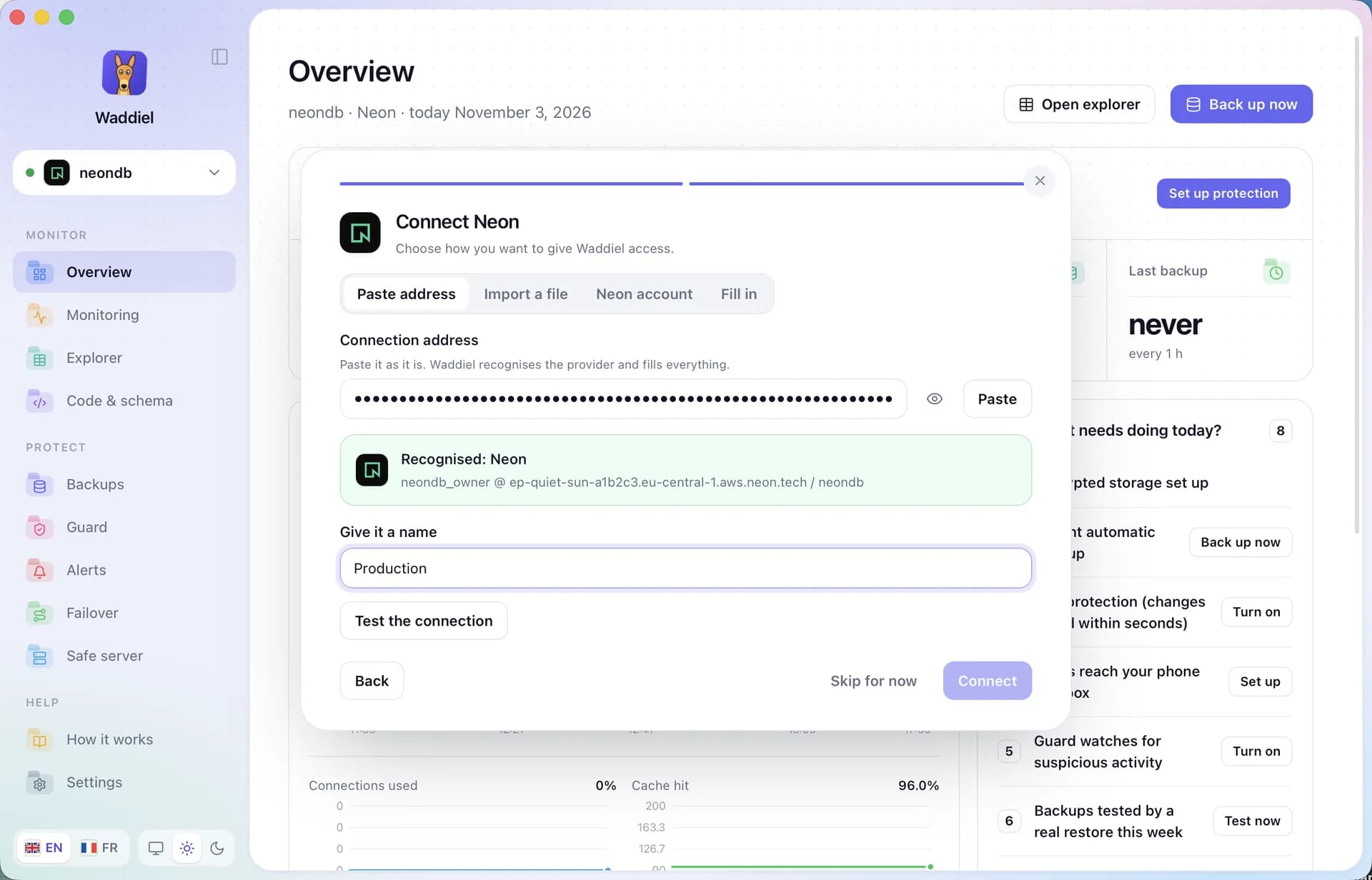
Paste the connection address
Paste the link as it is. Waddiel recognises the provider, host and database, then stores the password in your Mac’s Keychain.
- Provider recognised automatically
- Password never stored in clear text
- One-click connection test
Protect your data
Pick a protection level and a safe place. Everything is encrypted before it leaves your Mac.
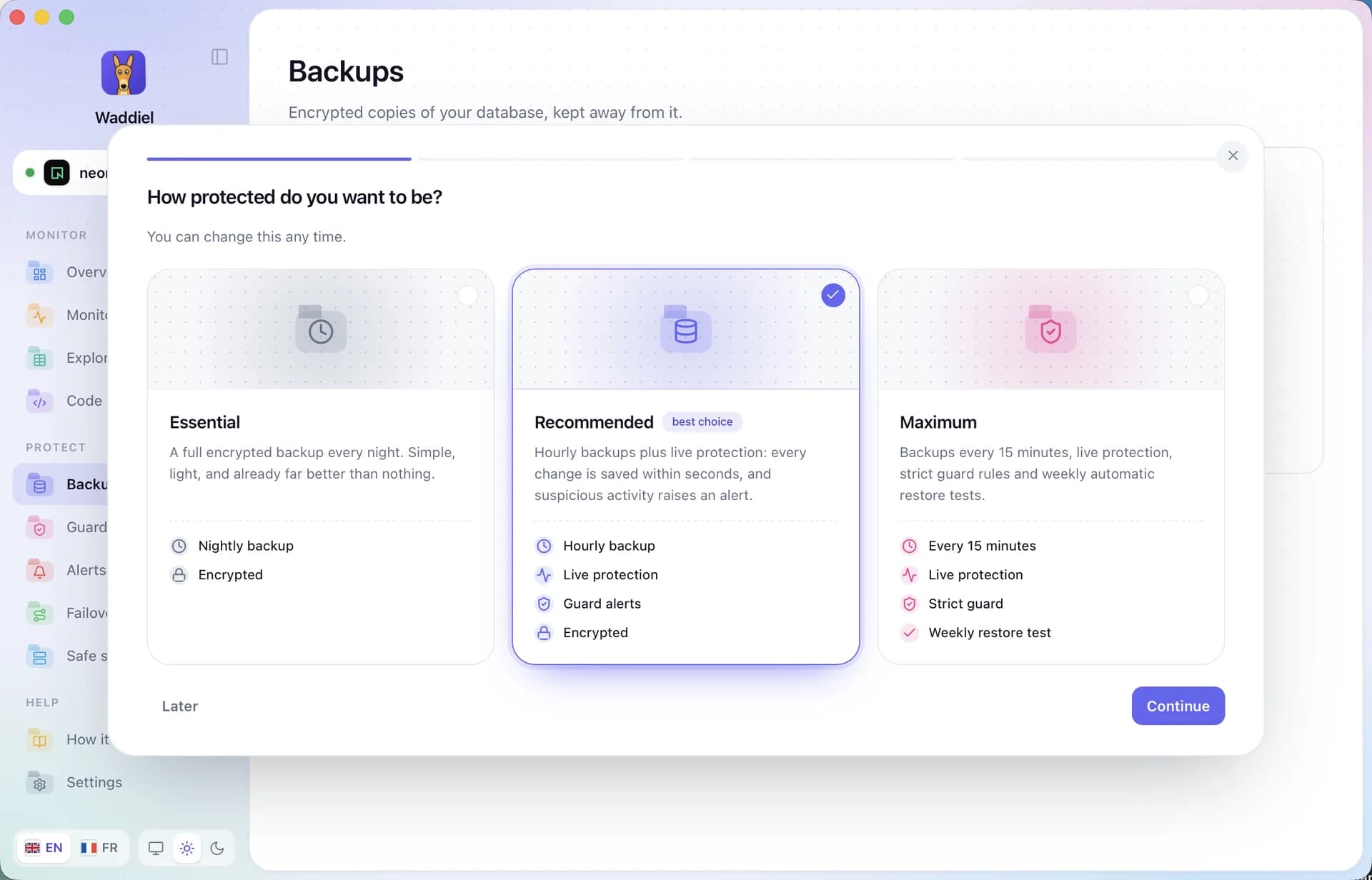
Pick your protection level
Essential, Recommended or Maximum: a backup every night, every hour or every 15 minutes. Waddiel runs it on its own, there is nothing to start.
- Change the frequency any time
- Live protection, to the second
- Restore test every week
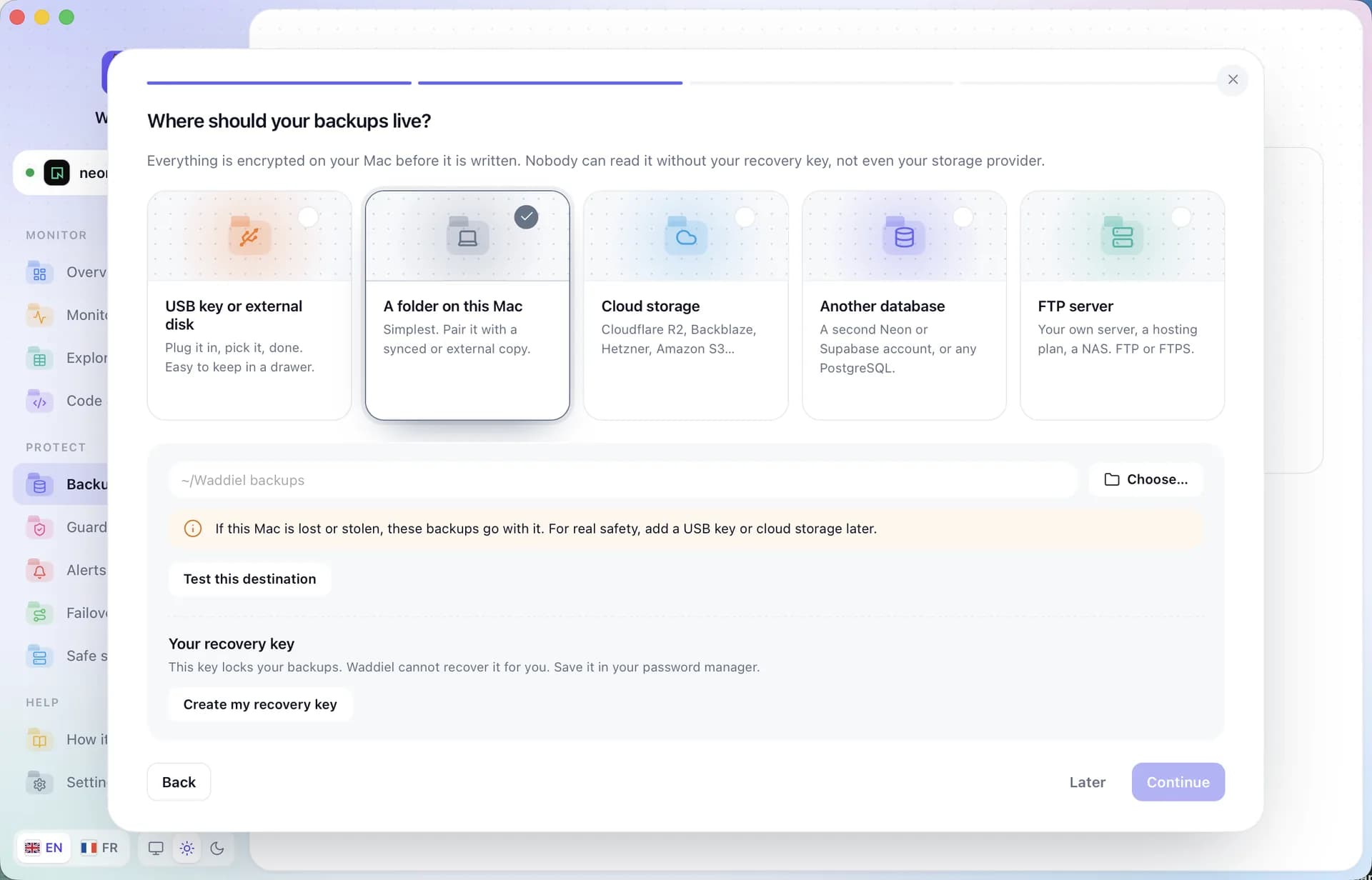
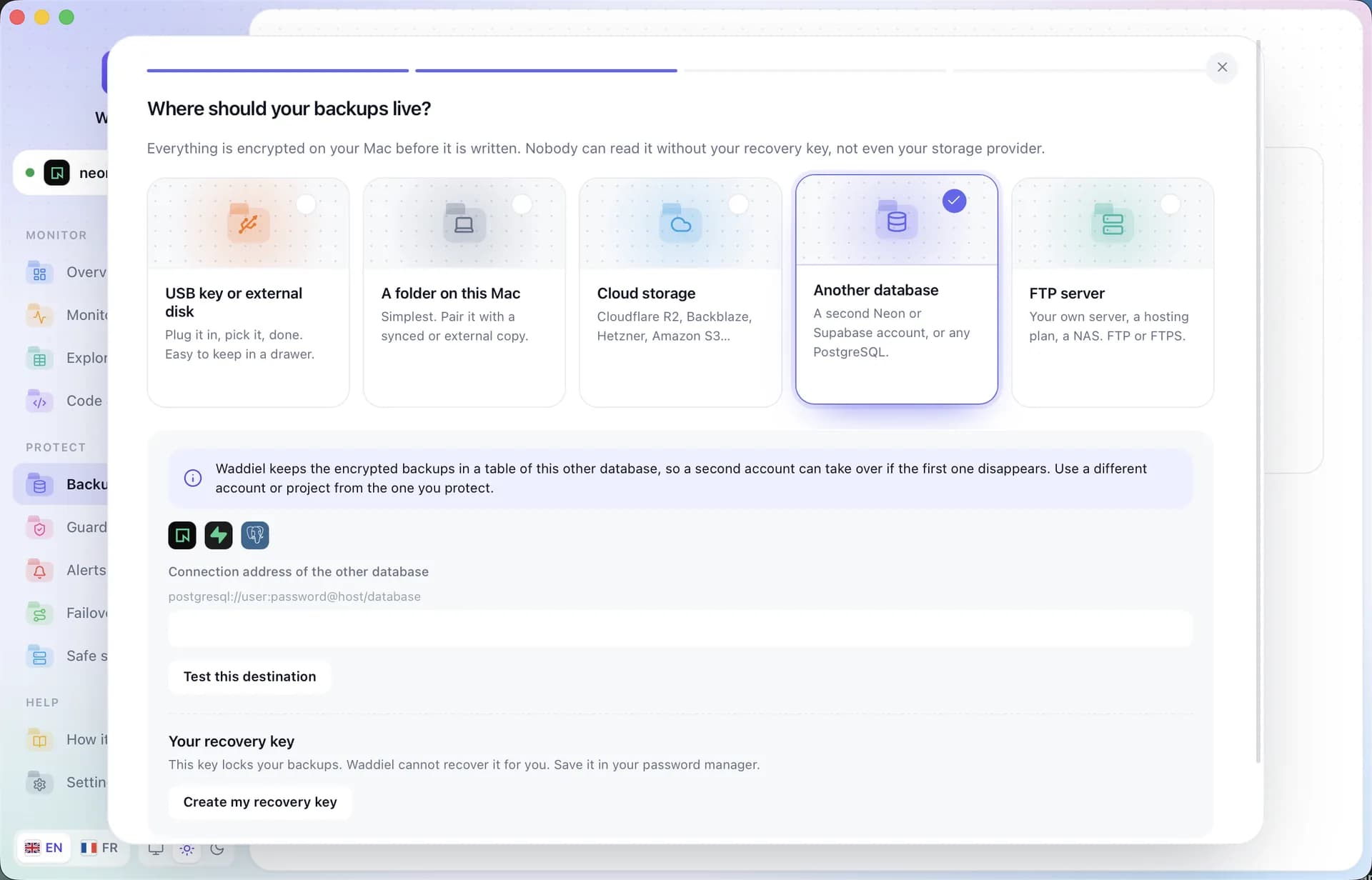
Choose where backups live
USB drive, a folder on this Mac, cloud storage, another database or an FTP server. Then create your recovery key: only it can open your backups.
- Cloudflare R2, Backblaze B2, Amazon S3, Hetzner
- Encrypted before it’s written
A copy in another database
Got a second Neon project, a Supabase account or another PostgreSQL? Waddiel drops every encrypted backup there automatically. If your first account disappears, the second takes over: restore into a new database in one click.
- Just paste the other database’s address
- Backups sent at the pace you chose
- Use a different account from the one you protect
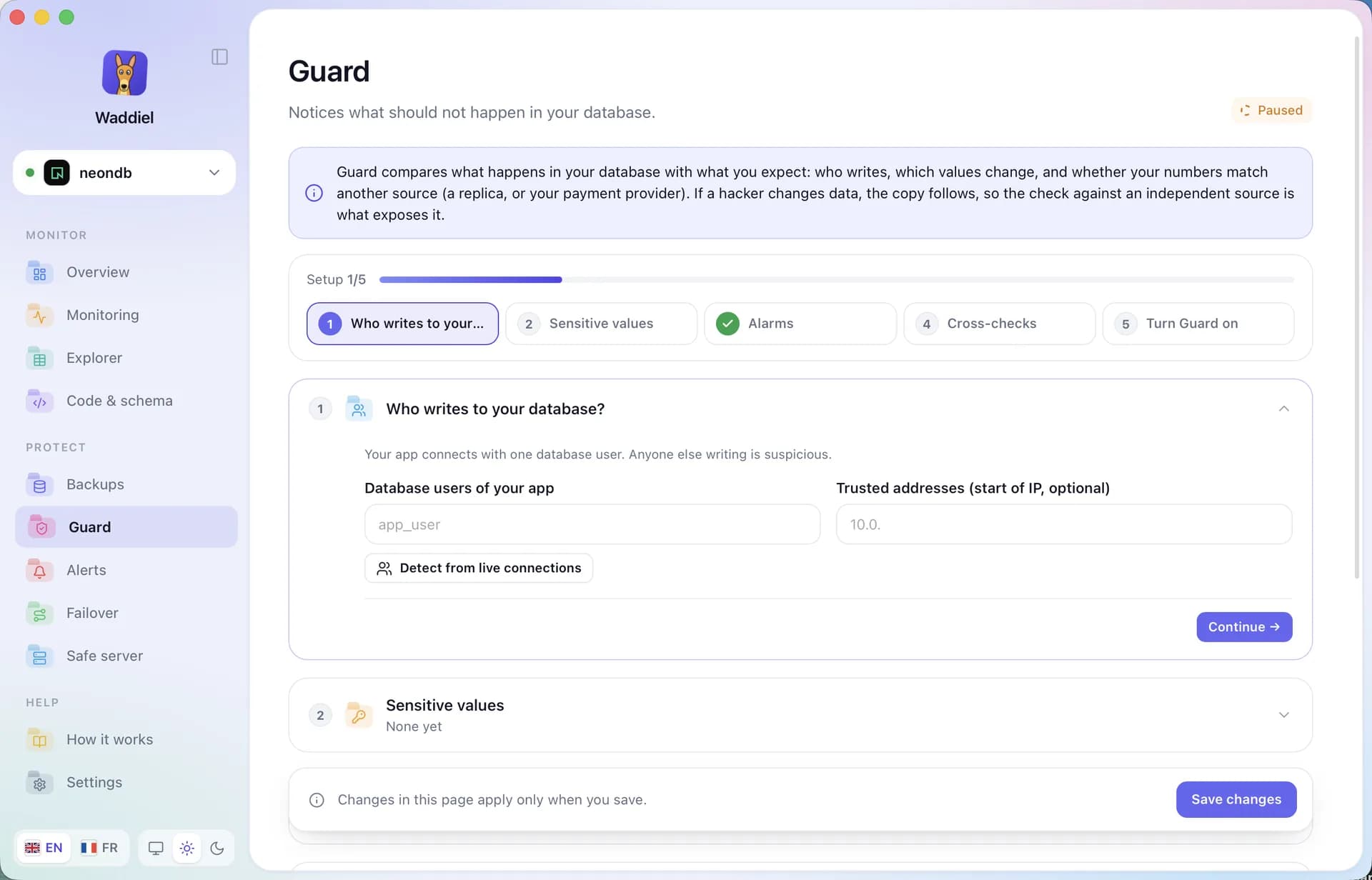
Turn on Guard
Tell Waddiel who may write to your database and which values are sensitive. Everything else raises an alert.
- Trusted users and IPs
- Sensitive values watched
- Cross-checked with an independent source
Watch day to day
Metrics arrive on their own. Waddiel shows you what matters and warns you when it should.
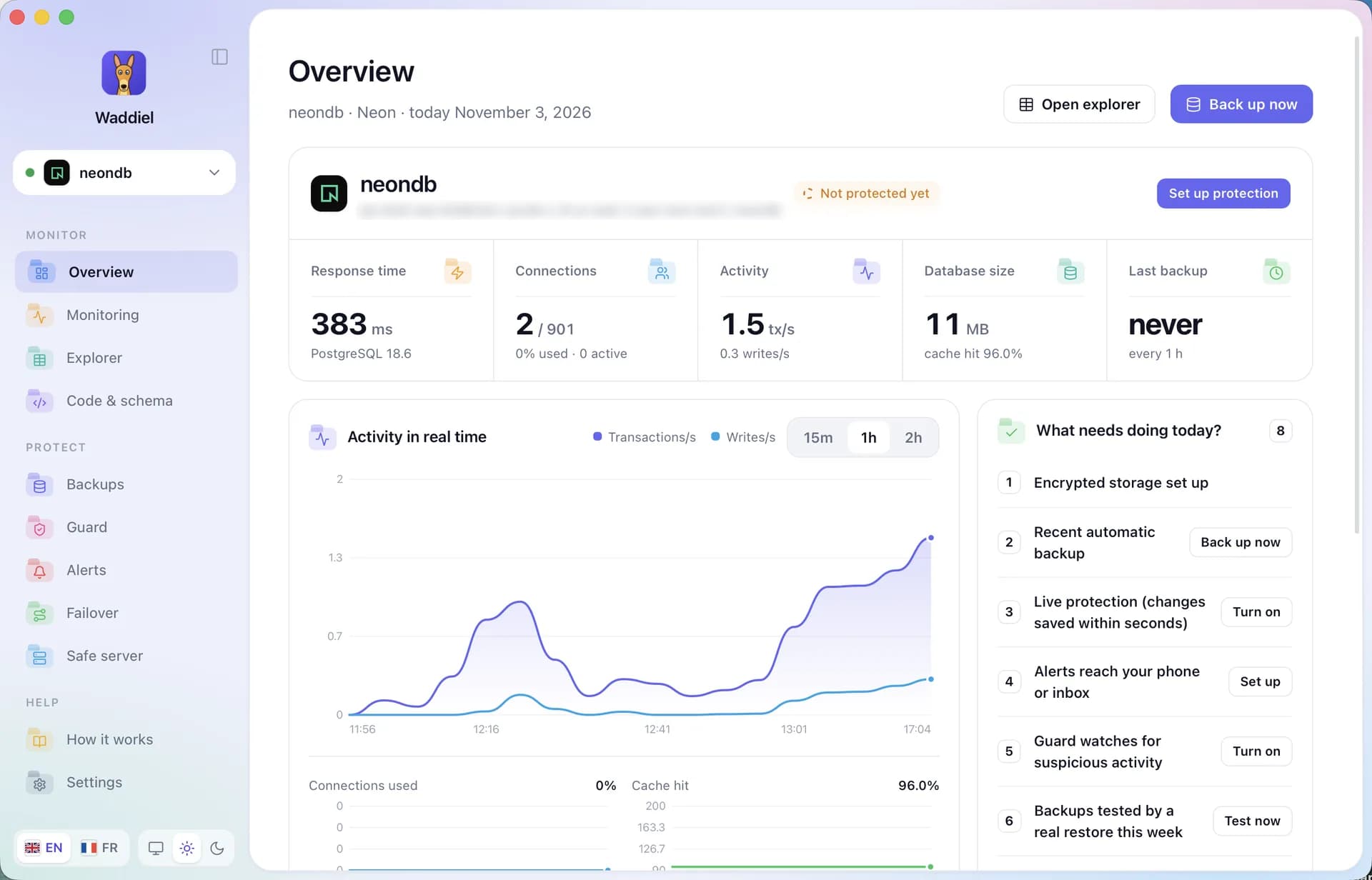
Your data arrives
The overview fills up in seconds: response time, connections, live activity and the list of what’s left to do today.
- Live activity over 15 min, 1 h or 2 h
- A clear list of actions
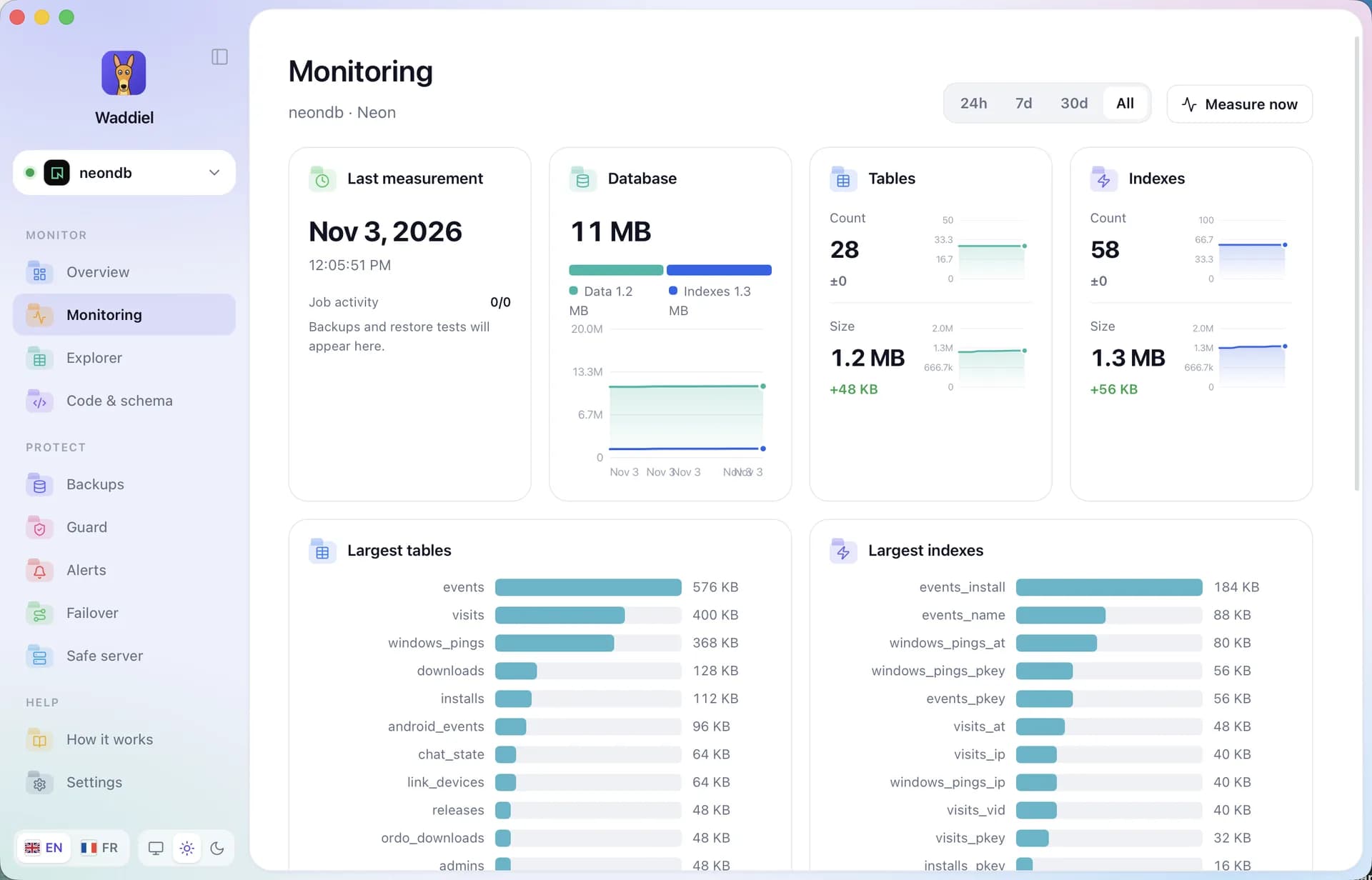
Follow the growth
Database size, number of tables and indexes, largest tables: Waddiel measures on its own and keeps the history.
- Over 24 h, 7 d, 30 d or all time
- Catch drift before it gets expensive
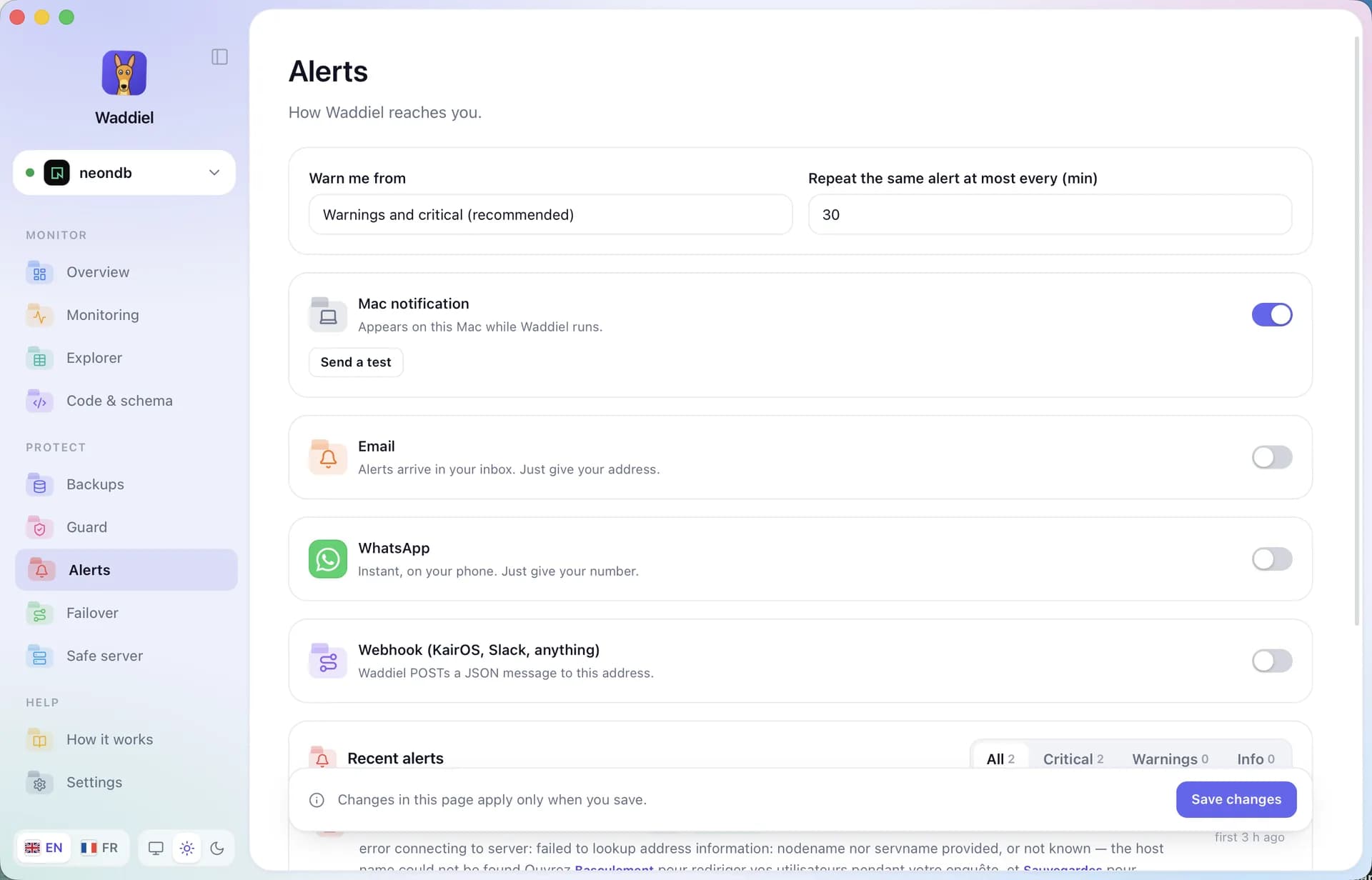
Get the alerts
Mac notification, email, WhatsApp or a webhook to Slack: choose where Waddiel warns you and from which level.
- Without drowning you in alerts
- A test button for every channel
Explore and query
Your tables, their structure, their relations and your SQL queries, without any risk of breaking things.
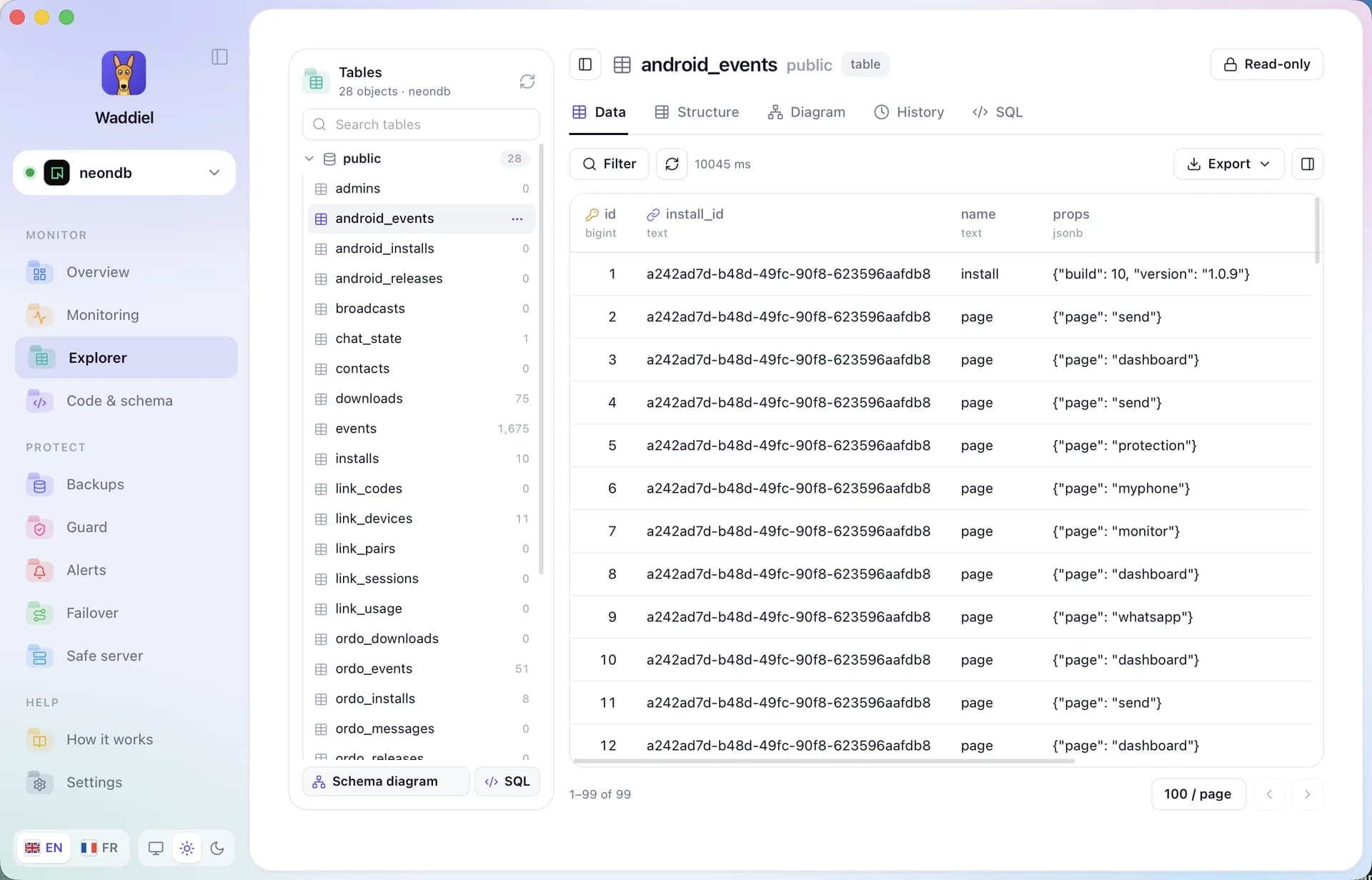
Explore your tables
All your tables on the left, their rows on the right. Filter column by column, sort, export as CSV, JSON or SQL. Everything opens read-only.
- Guided filters, no SQL needed
- Row details in a side panel
- Nothing changes without your say-so
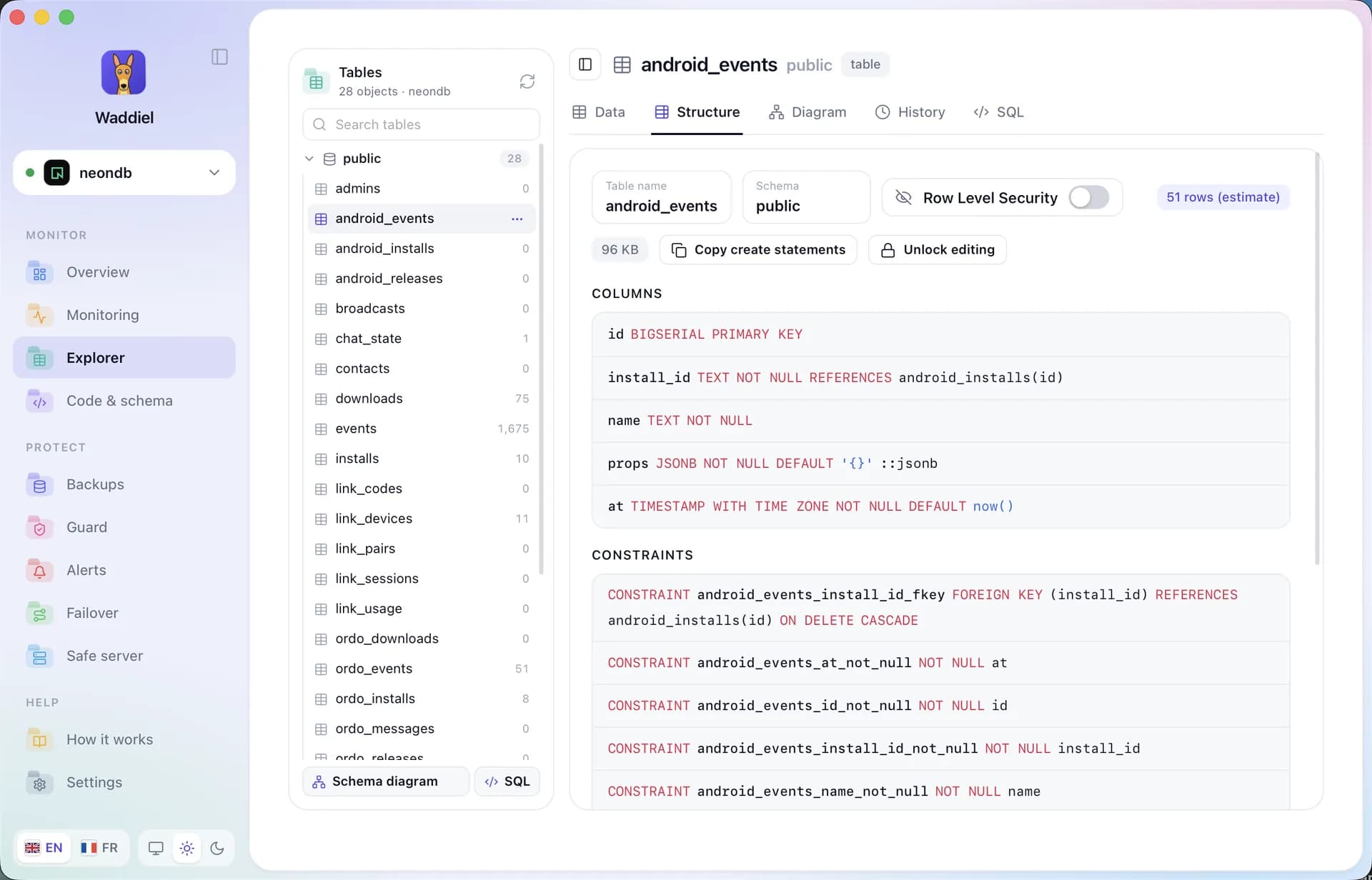
Structure, written like SQL
Columns, constraints, indexes and security policies (RLS) for every table, highlighted like SQL. Copy the CREATE script in one click.
- Foreign keys and ON DELETE in plain sight
- Add or rename a column after confirming
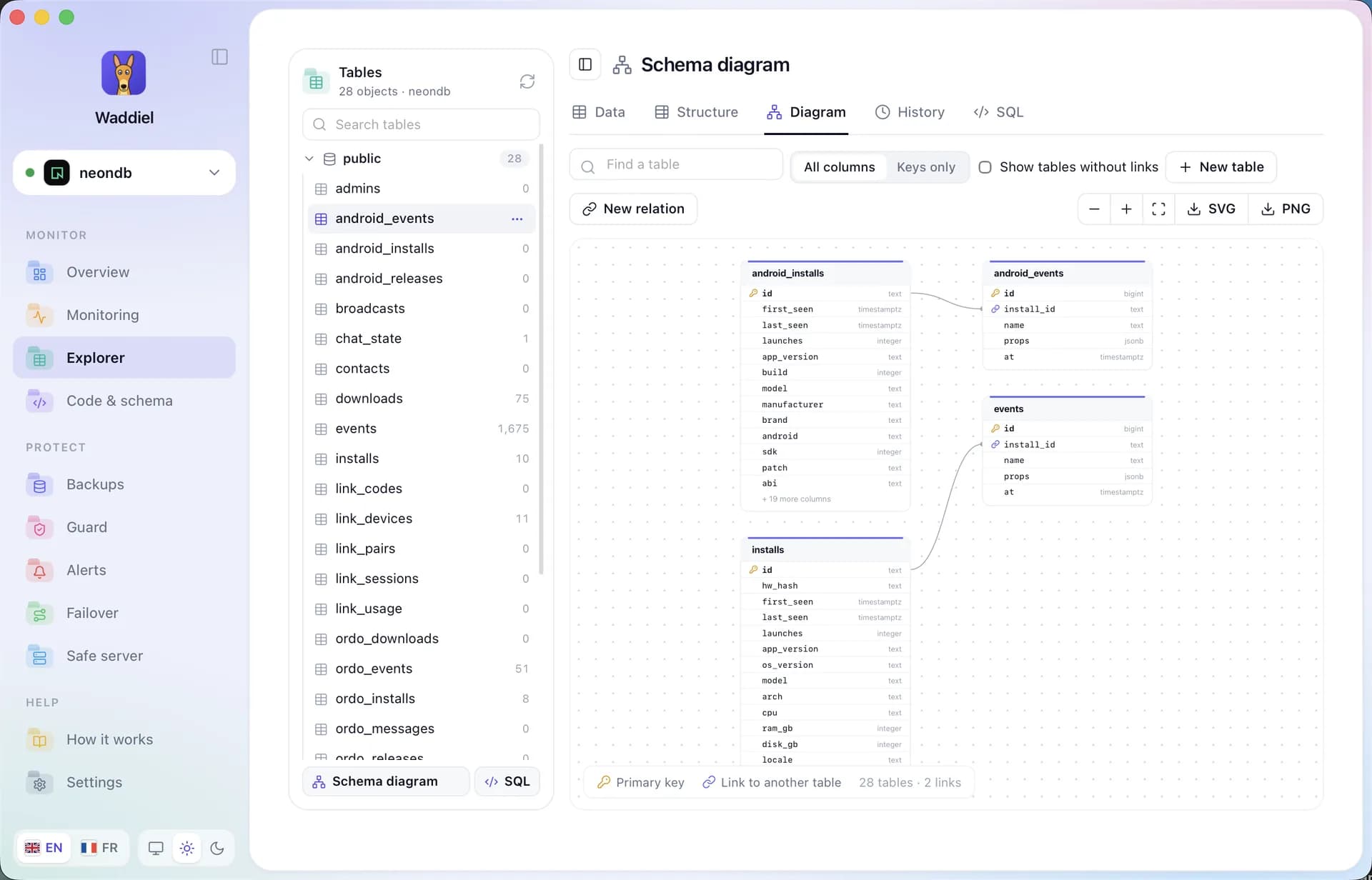
Your relations on a diagram
See how your tables connect. Create a one-to-one, one-to-many or many-to-many relation: Waddiel writes the change for you, once you confirm.
- SVG or PNG export
- Junction table created automatically
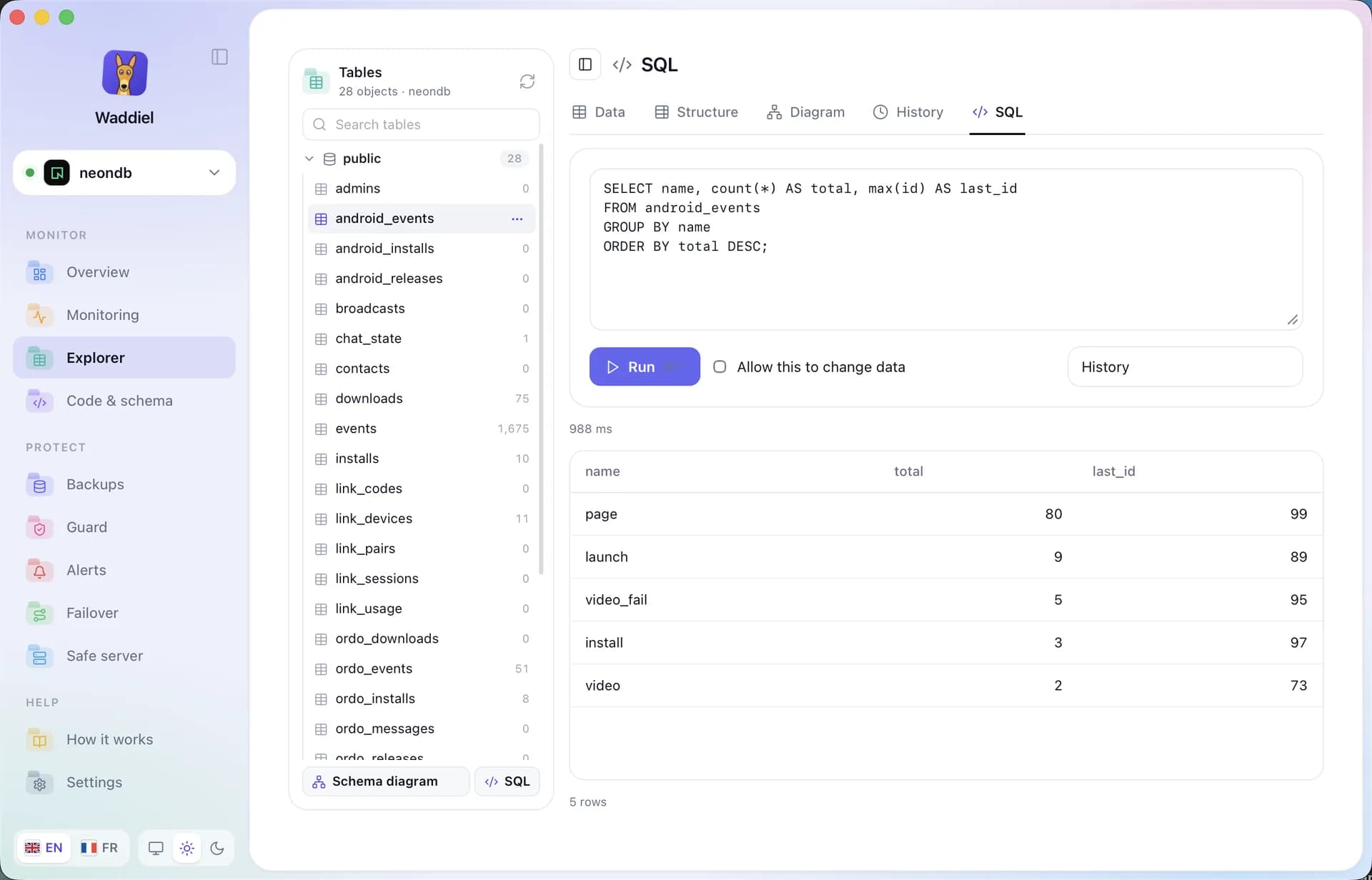
Write your SQL queries
A SQL editor that protects production: read queries run straight away, queries that change data ask for your approval. Results and timing show right below.
- ⌘ + Return to run
- History of your last 25 queries
- Every change is written to the history
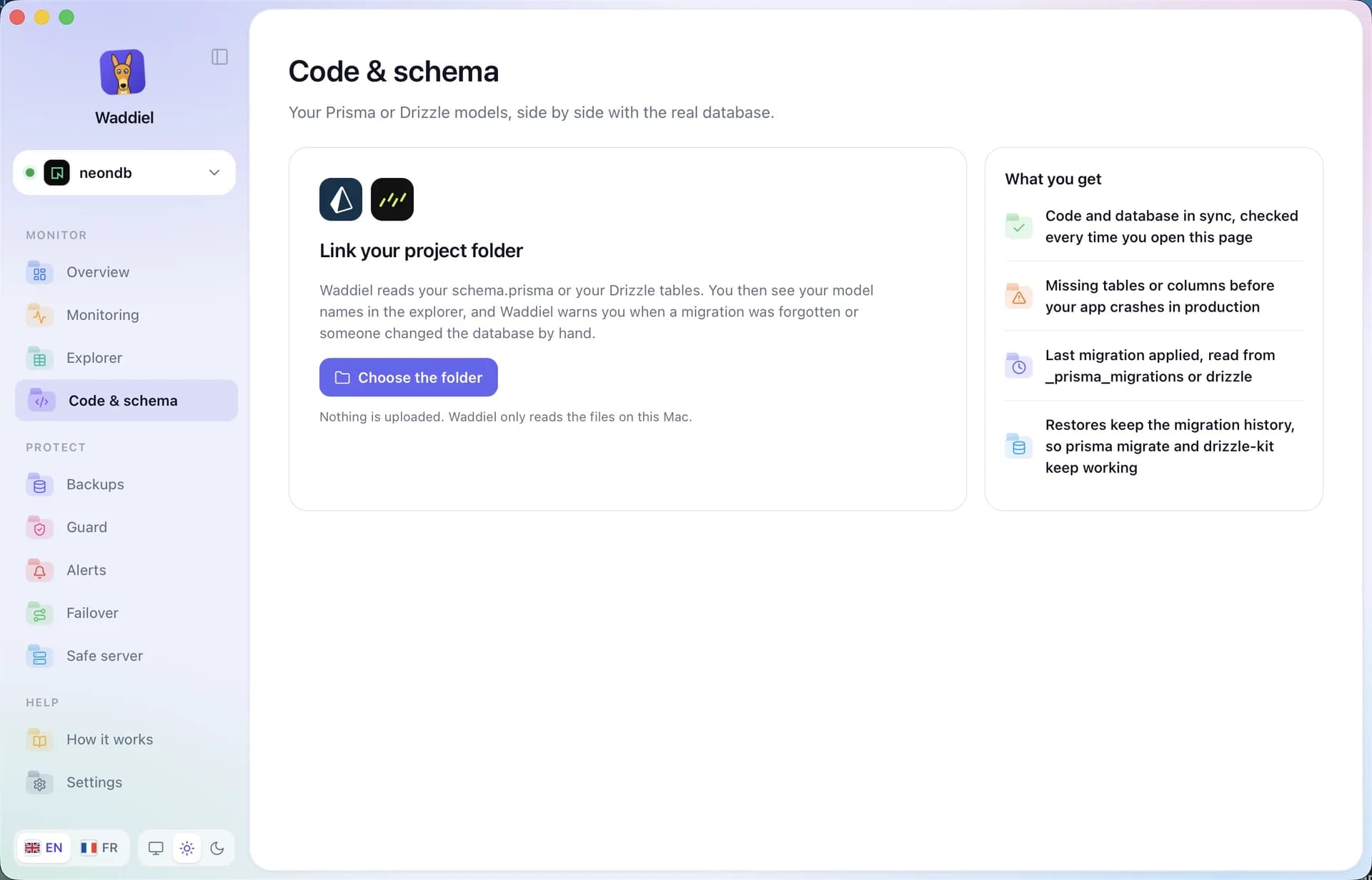
Your code: Prisma and Drizzle
Link your project folder: Waddiel compares your models with the real database.
Link your Prisma or Drizzle project
Pick your project folder. Waddiel reads your schema.prisma or your Drizzle tables, without uploading anything, and tells you right away whether code and database agree.
- Missing tables and columns spotted
- Last migration applied
- Your model names in the explorer
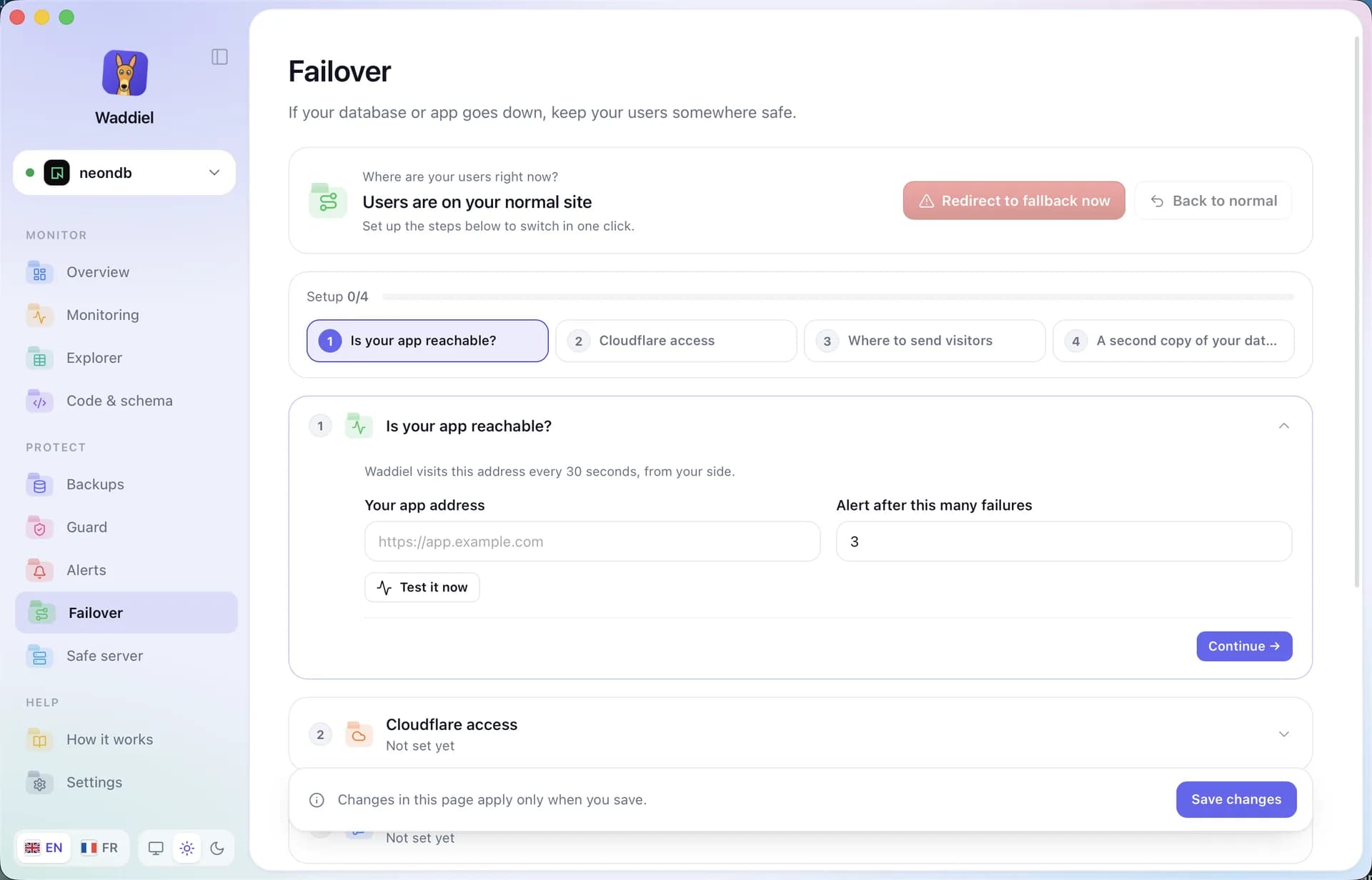
The day things go wrong
Fail your visitors over, keep a server watching 24/7 and restore to the second.
Fail your visitors over
If your app or database goes down, Waddiel warns you and you send visitors to a fallback page in one click, through Cloudflare. Then you go back to normal.
- Your app checked every 30 seconds
- Manual or automatic redirect
- Replica promoted if the main database dies
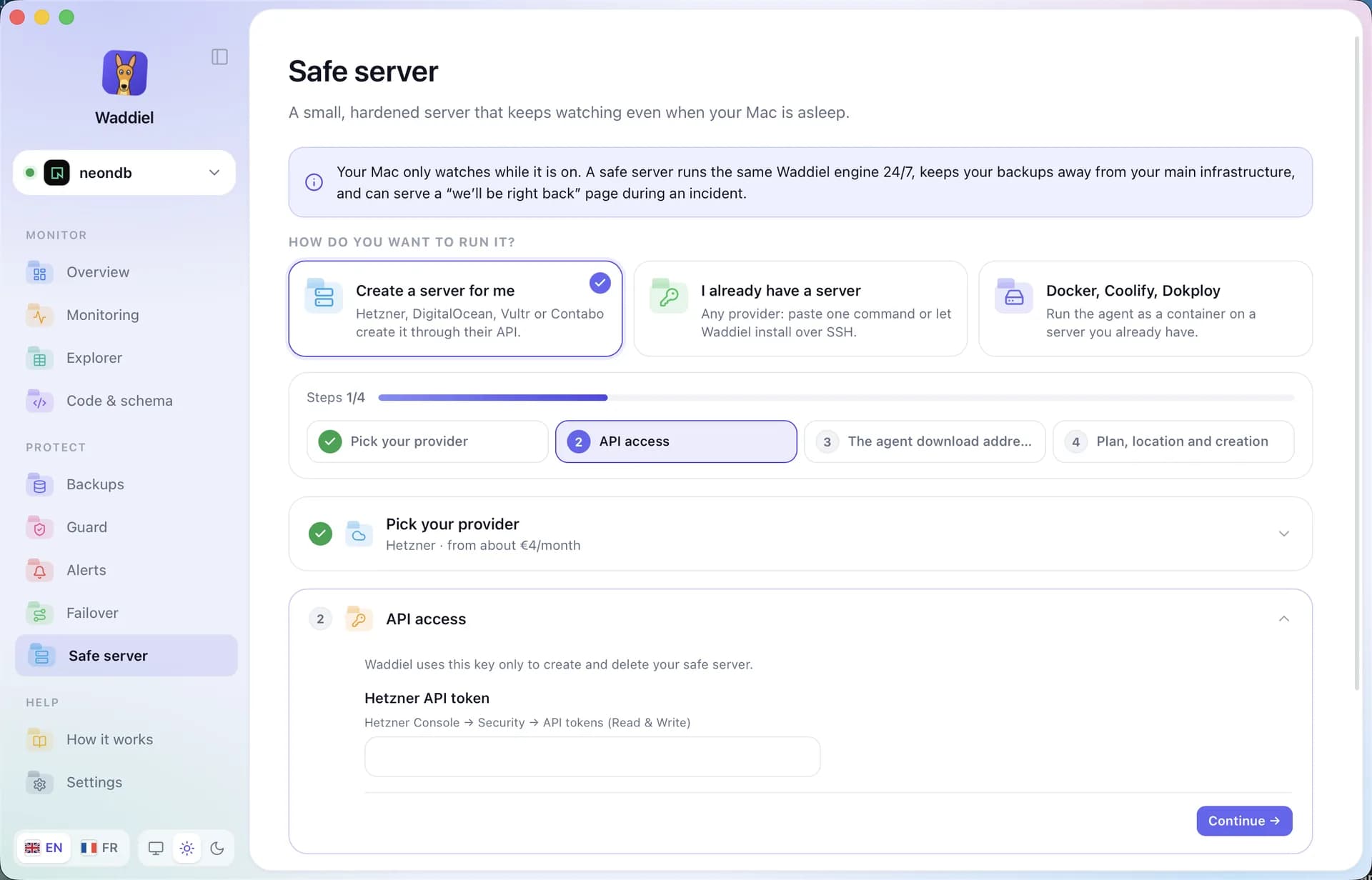
A server that watches while your Mac sleeps
Your Mac only watches while it’s on. The safe server runs the same engine 24/7, keeps backups away from your infrastructure and shows a “back soon” page during an incident.
- Created for you at Hetzner, DigitalOcean, Vultr or Contabo
- Or on your own server, or with Docker
- From about €4 a month

Ready to sleep well?
Install Waddiel and protect your first database in five minutes.